Installation Ready AC Power
Solarman Smart Configuration
Each kit includes configuration instructions for the SOLARMAN SMART app. These contain the kit codes to facilitate configuration.
If the customer/installer loses the instruction sheet, a copy can be requested via the following link by providing the kit's serial number.
Codes
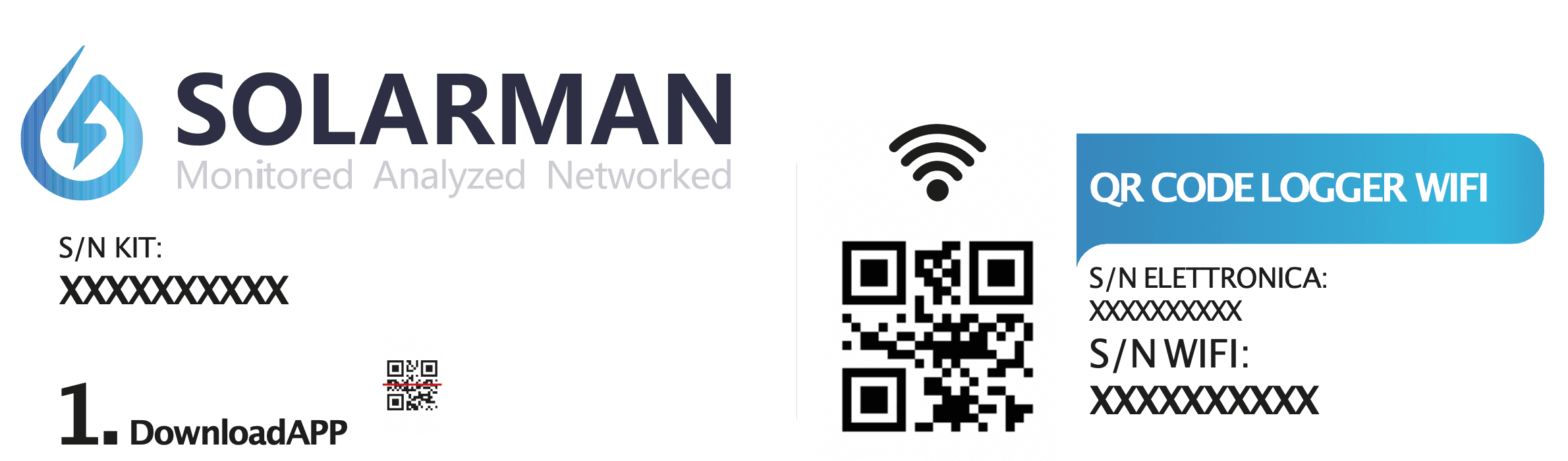
The first section of the instruction sheet includes the following codes:
- S/N Kit is the kit's serial code.
- S/N Electronics is the inverter's serial code.
- S/N WiFi is the Wi-Fi module's serial code.
Download the Application
The first step is to download the Solarman Smart application from the App Store or Google Play Store. Scanning the QR code in the instructions will direct you to the download page. Alternatively, access the web version at: https://home.solarmanpv.com.
For convenience, it is preferable to configure the system using a smartphone.
Registration
Once the application is downloaded, register the end-user account using a simple guided procedure. These credentials will be used to access and monitor the system.
System Creation
After registration, you can create the system. The application allows you to input all available information about the system (e.g., power, location, type). Clicking 'Add Now' will start the creation process.
A system refers to a single kit or a combination of multiple kits. All kits with interconnected master modules constitute a system.
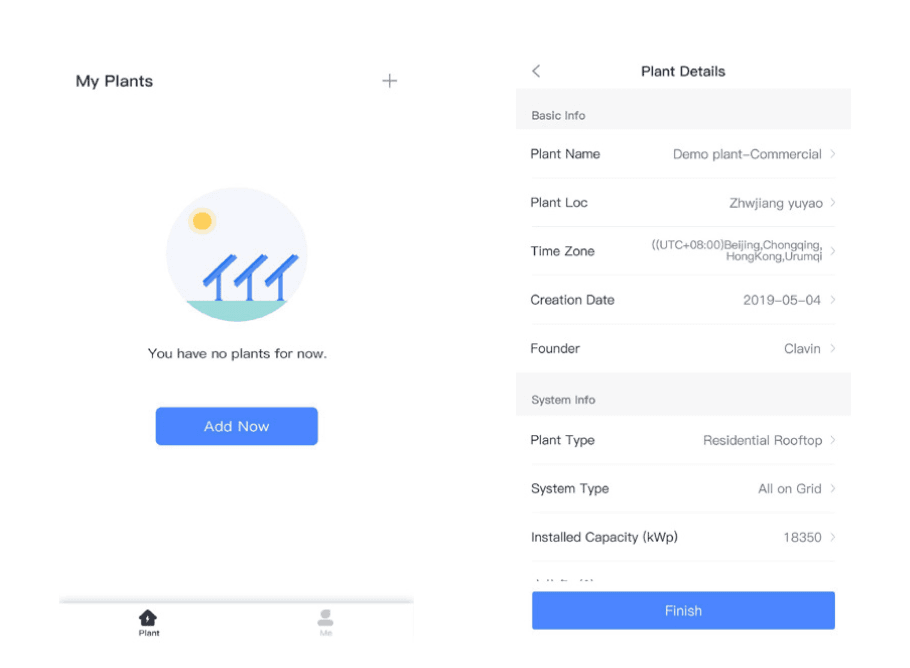
Adding a Logger
You can add the inverters installed on the master modules to the newly created system. To do this, scan the Wi-Fi serial code on each master module (see the first step for serial codes).
This operation must be repeated for every kit in the system.
Network Configuration
After adding the loggers, you can connect them to the internet and view data in the app. Go to 'System Details' -> 'Device List' and follow the procedure with the device connected to the desired Wi-Fi network.
- Connect the phone to the desired Wi-Fi network and click 'Start.'
- Connect to the corresponding AP network, e.g., AP_622602179 (where 622602179 is the Wi-Fi module's serial). Use the password 12345678.
- Wait a moment for the automatic configuration to complete. If there are errors, it might be due to a weak Wi-Fi signal at the system location.
This operation must be repeated for every kit in the system.
Once these steps are completed, the system will be configured, and you can view real-time data.
Need assistance?
Request Support